Frequently asked questions
  • 1. How do I pair the earbuds for the first time?关闭
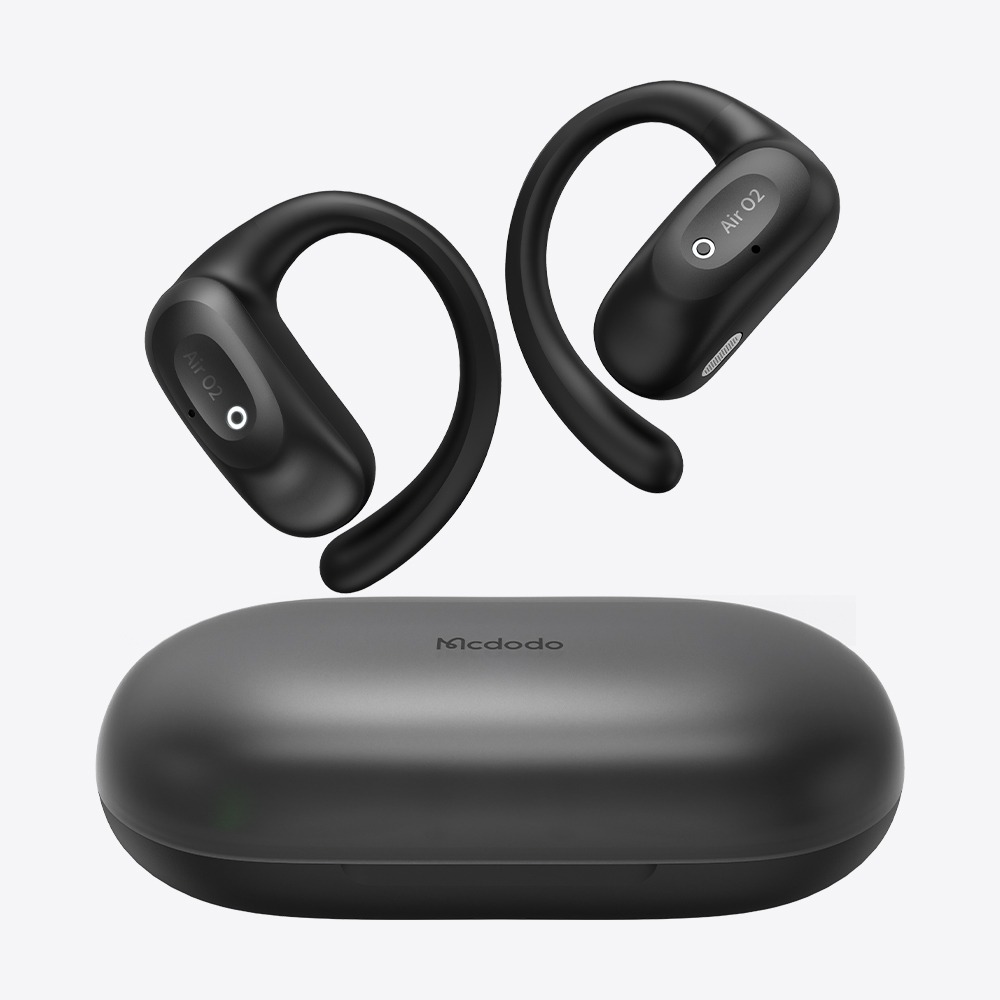
    1.Open the charging case and remove both earbuds. They will enter pairing mode automatically. 
    2.Enable Bluetooth on your device and select “Mcdodo-XXX” to connect. 
    3.After the first pairing, the earbuds will automatically reconnect when removed from the case. 
    Tip: If the earbuds do not appear in the Bluetooth list, place them back in the case and try again.
  • 2. What should I do if my earbuds won’t connect to my device?关闭
    Try the following steps:
    1. Make sure the earbuds have enough battery power and are in pairing mode.
    2. Turn off Bluetooth on your phone, then turn it back on.
    3. Forget ‘Mcdodo’ from your phone’s Bluetooth device list.
    4. Place the earbuds back in the charging case, remove them again, and retry the connection.
    5. Check that the earbuds are not connected to another device.
  • 3. What should I do if only one earbud has sound?关闭
    The earbuds may need to be resynced. Follow these steps:
    1. Ensure both earbuds have enough battery power..
    2. Place both earbuds in the charging case, close the lid for 5 seconds, then remove them.
    3.Forget “Mcdodo” from your Bluetooth settings and reconnect.
  • 4. What should I do if the connection is unstable or the audio keeps cutting out?关闭
    Bluetooth performance may be affected by your surroundings. Try the following steps:
    1.Keep the earbuds within 10 meters (33 feet) of your device, with as few obstacles as possible. 
    2.Move away from potential sources of wireless interference, such as Wi-Fi routers or microwave ovens. 
    3.Avoid placing your phone in a backpack or behind your body, as this may affect the Bluetooth signal. 
    4.Forget the earbuds from your Bluetooth settings and reconnect. 
    5.Make sure both the earbuds and your phone have enough battery power.
  • 5. What devices are the earbuds compatible with?关闭
    Mcdodo wireless earbuds are compatible with most Bluetooth-enabled devices, including:
    -iOS devices (iPhone, iPad) 
    -Android phones and tablets 
    -Windows PCs 
    -Mac computers 
    Note: Available features may vary by device model and operating system.
  • 6. Can I use a single earbud independently?关闭
    Yes. Either the left or right Mcdodo earbud can be used independently.

  • 7. Do the earbuds support dual-device connection?关闭
    Select Mcdodo earbud models support multipoint connection, allowing you to connect two Bluetooth devices simultaneously and switch between them.
    For specific compatibility, please refer to the product manual or official product page.
  • 8. What should I do if call audio is unclear?关闭
    Try the following:
    1. Make sure the microphone opening is not blocked by dust or debris.
    2. Test call quality in a quiet environment.
    3. Make sure your fingers are not covering the earbud's microphone.
    4. Try turning Bluetooth off and back on.
    5. Verify that "Mcdodo" is selected as the call audio output on your phone.
    Note: Certain models support ENC (Environmental Noise Cancellation) for enhanced call clarity.
  • 9. What should I do if the earbuds won't charge?关闭
     Try the following:
    1.Make sure the charging case has enough battery power. 
    2.Check that the earbuds are properly placed in the charging case. 
    3.Clean the charging contacts on the earbuds and case. 
    4.Try using a different charging cable or power source. 
    5.Make sure the charging case indicator lights up when charging.
  • 10. Why does my phone still show a Bluetooth connection after placing the earbuds back in the case?关闭
    The earbuds should automatically turn off and disconnect from Bluetooth when placed in the charging case correctly.
    If they remain connected, try the following:
    1.Make sure the earbuds are properly placed in the charging case. 
    2.Clean the charging contacts. 
    3.Remove the Bluetooth pairing record and reconnect.
  • 11. Are the earbuds waterproof? Can I wear them while exercising?关闭
    Select Mcdodo wireless earbuds feature an IPX4 water resistance rating, protecting against sweat and light splashes. They are suitable for workouts and daily use, but not for swimming, showering, or prolonged water exposure.
    For specific water resistance ratings, please refer to the product specifications.
  • 12. Why do the left and right earbuds drain at different rates?关闭
    A slight difference in battery consumption between the left and right earbuds is normal. Since one earbud may handle the main connection and data transmission, power usage can vary between the two sides. Battery life may also vary depending on volume, ANC mode, calls, and usage conditions.